Changelog.
Every version of FaceUnlock, what changed, and what we know about it.
Version 1.7
27 November 2026 · Download
New
- A setup guide, in four parts. Permissions one step at a time with click-by-click instructions, your choices, a tour of the menu bar and Settings, and a real unlock to finish. See every screen ›
- How unlocking works, replayed over your own wallpaper before you try it.
- Open it again from Settings → General or the menu bar.
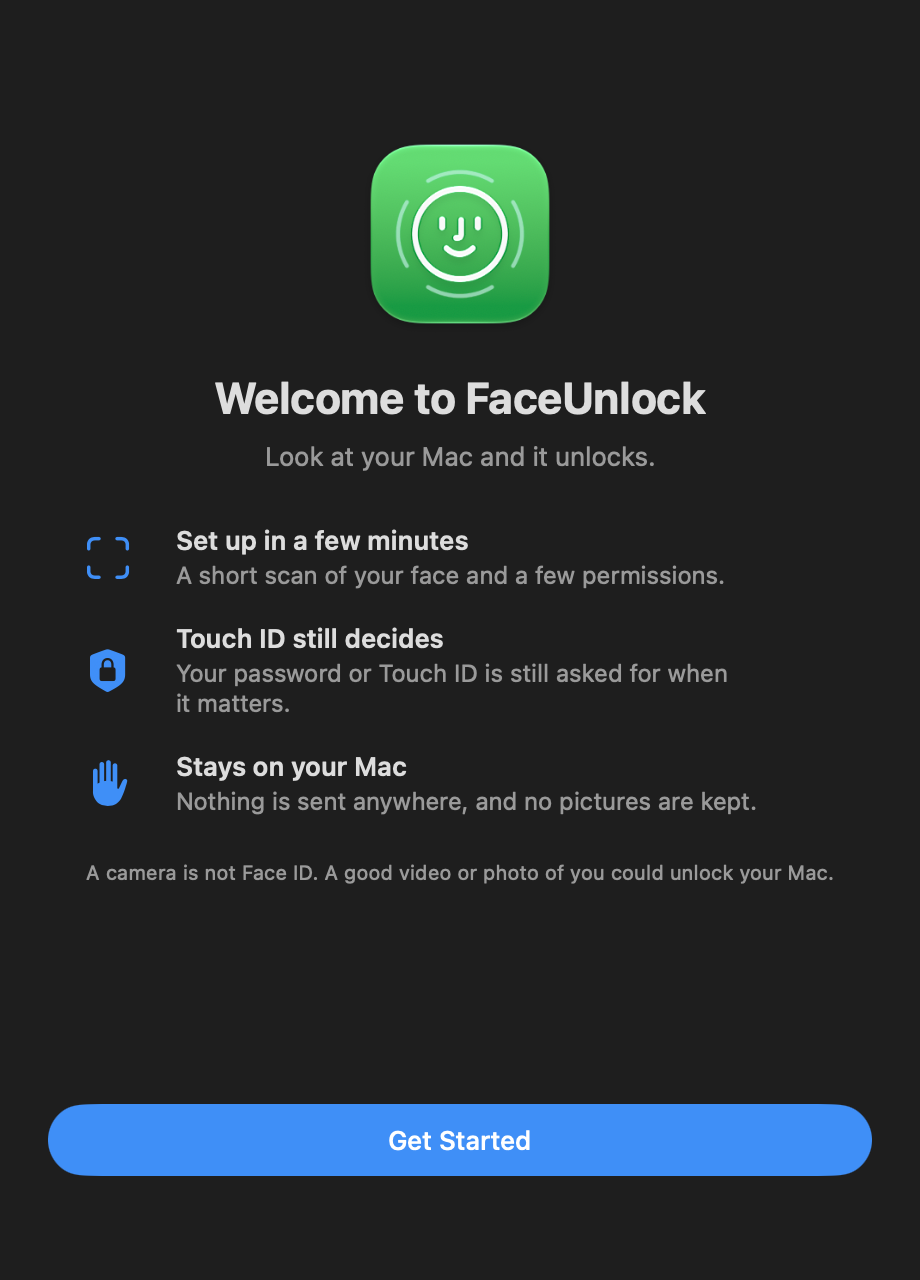
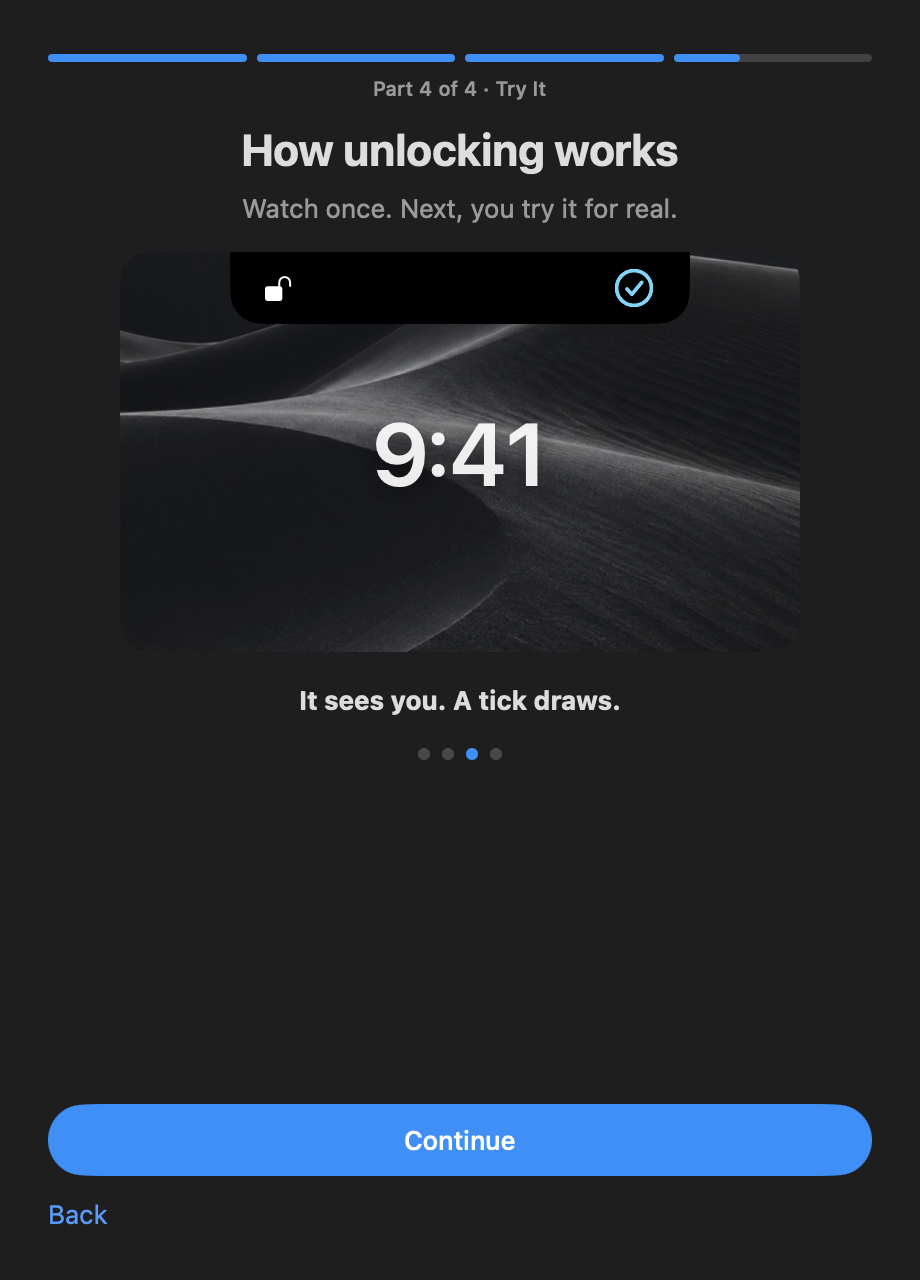
The guide hasn’t yet been clicked through from start to finish on a downloaded copy.
Version 1.6.1
27 November 2026
Fixed
- Allow no longer undoes itself. A second click could remove the Accessibility permission you had just given.
- Ticks keep up while the Permissions page is open and when you come back from System Settings.
- One keychain prompt, then it waits for the Allow button.
- One copy at a time, with a warning if it isn’t in Applications.
When macOS warns you on first opening, click Done, not Move to Trash, then Open Anyway in Privacy & Security.
Version 1.6
27 November 2026
New
- A Permissions page. Everything FaceUnlock needs, with a tick when it has it and one button when it doesn’t. It opens by itself when something is missing.
- A button beside every status, in Settings → General and in the menu bar.
- No Terminal after updates. The Camera and Accessibility buttons clear the old permission and ask again.
The new buttons haven’t yet been tried on a real install.
Version 1.5.1
27 November 2026
Fixed
- No more frozen lock screen after an update. A keychain prompt could hide behind the lock screen and stop FaceUnlock mid-scan. It now asks only while your Mac is unlocked.
- The screen stays on while you try. It could go black during a head turn or before you could try again.
- Your face data key is protected. Refusing a keychain prompt could replace it and leave your saved face unreadable.
After updating, choose Always Allow when macOS asks about the keychain, then allow Accessibility again. The new lock-screen behaviour hasn’t yet been tried on a real lock screen.
Version 1.5
27 November 2026
New
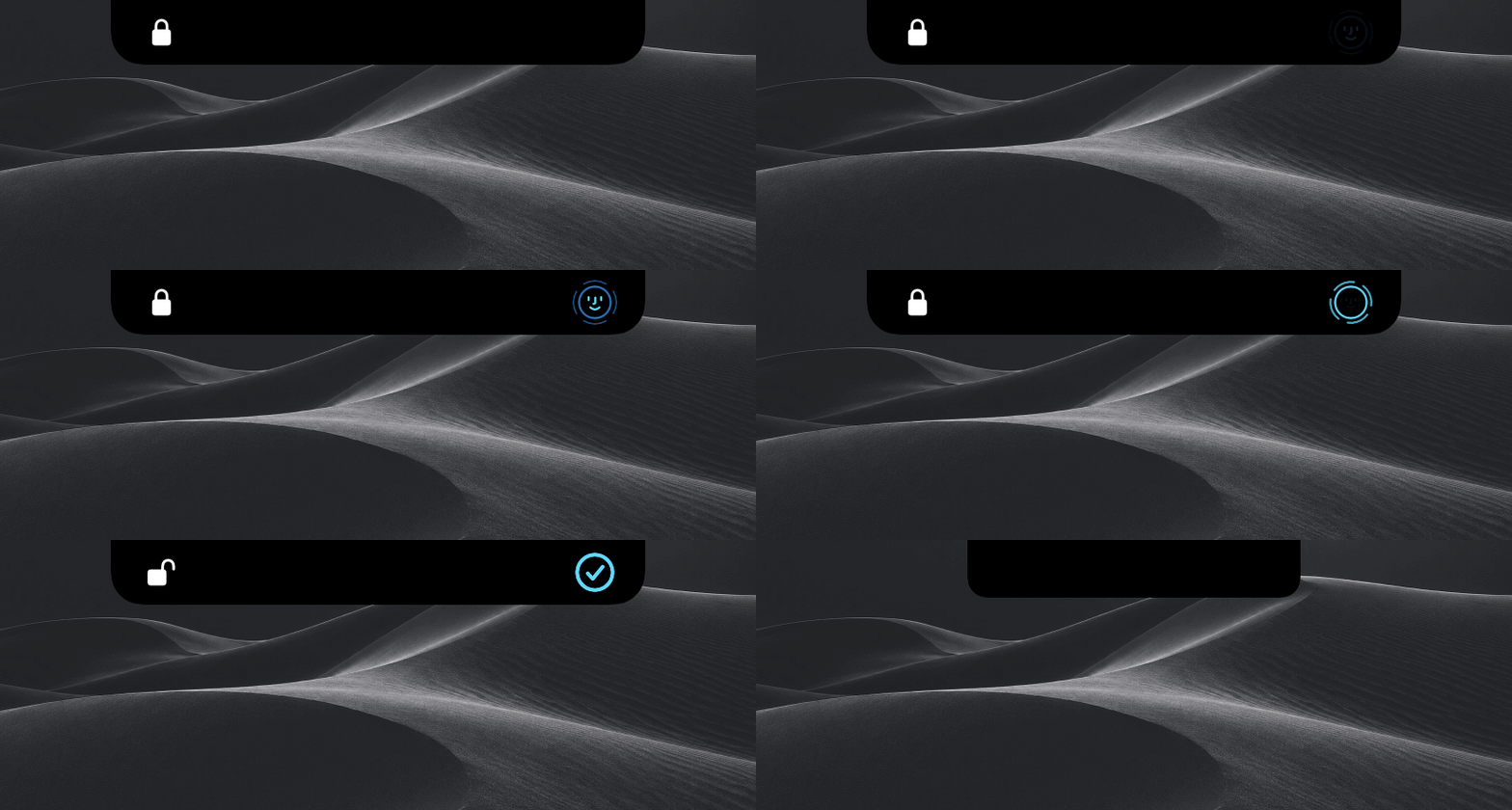
- Beside the camera. On a notch or Dynamic Island, a padlock sits one side and your face the other. It’s now the automatic style.
- The face becomes the tick. The arcs spin and join into one ring, then the tick draws, with sound and haptics retimed to it.
- Your wallpaper behind the style previews in Settings.

Improved
- Setup follows the same steps and wording more closely, and returns you to Settings when it’s done.
- Steadier. Being asked to turn your head keeps the same face on screen, and short messages sit more compactly.
Security
- Only real unlocks count. A program imitating macOS’s “unlocked” notice could reset the need for Touch ID or your password. It’s now ignored.
- Attempts can’t be dodged. A recognized face that doesn’t finish the blink or head turn now uses up an attempt.
- Lowering protection needs you. Security choices moved to your keychain, and turning any down asks for Touch ID or your password.
- Stricter learning and enrolment. Automatic updates need a closer match, and adding a face needs you whenever a password is saved.
- Tighter edges. It only types when your account is on screen, and developer options are left out of the download.
If you had lowered a protection setting below its default in an earlier version, check Settings → Security: it returns to the default once.
Version 1.4
27 November 2026
Improved
- More spacious sounds. A bigger, wider room for unlocking, setup, alerts and the notch.
- Warmer, with a soft halo behind the unlock and setup-complete sounds. Best on headphones.
- Touches stay crisp. Pointer, button, lock and refusal sounds are still short and close.
Version 1.3
27 November 2026
New
- New sounds. A stereo set, timed to the notch, the tick, the shake and face setup.
- More moments. The notch closing, the pointer, buttons, pausing and each step of setup.
- Haptics in step, with their own switch in Settings → Alerts & Sounds.
Version 1.2
27 November 2026
New
- Sound effects, made for FaceUnlock: looking, unlocked, locked, not recognized, password required, alerts and face setup.
- Your choice. Turn them off, set the volume or play each one in Settings → Alerts & Sounds. They’re on to begin with.
Fixed
- Settings and setup windows now open in front of other apps.
Version 1.1
27 November 2026
New
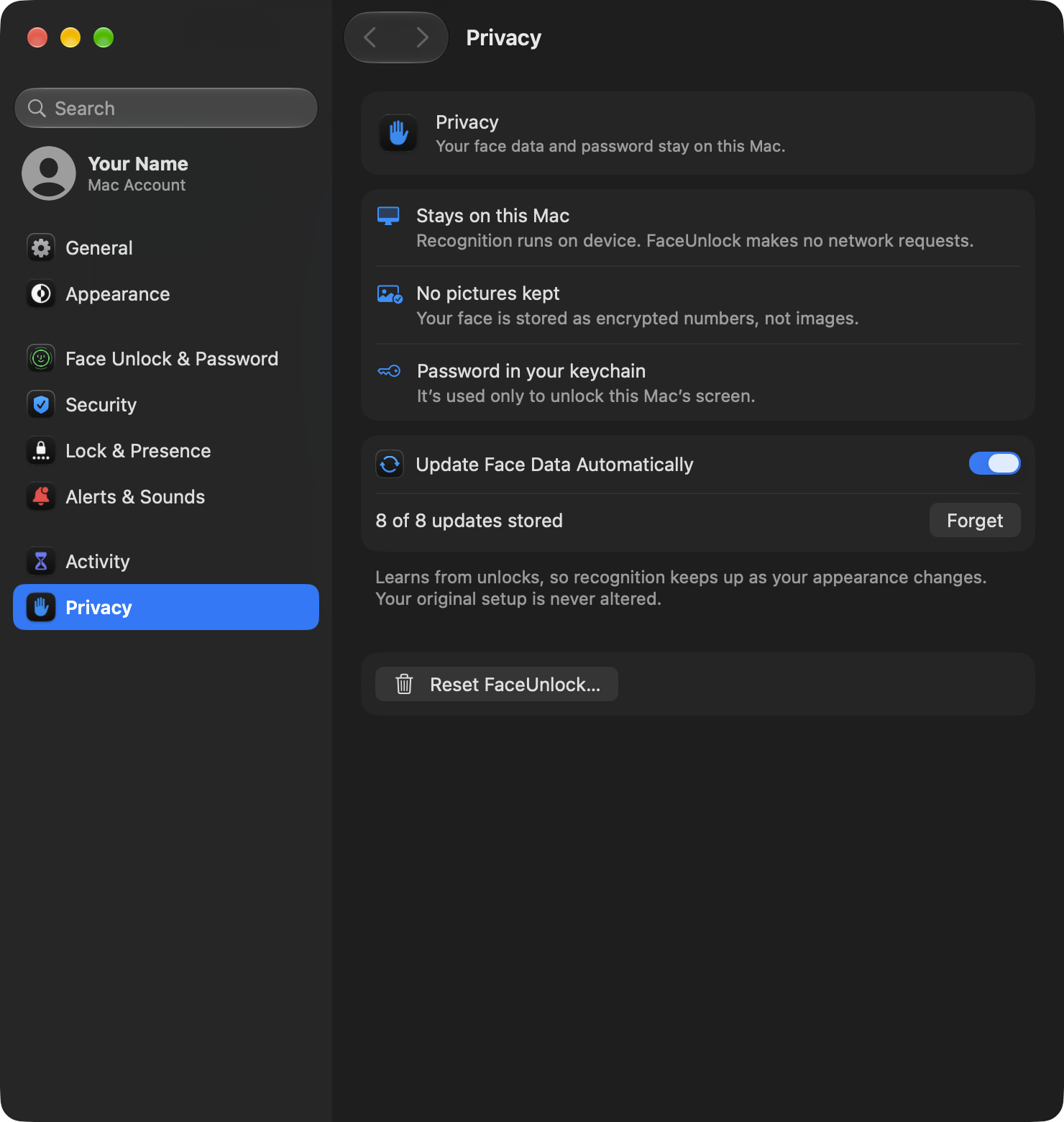
- Face data that keeps up. Newer captures are added from your unlocks, the way Face ID adapts. Your original scans are never altered.
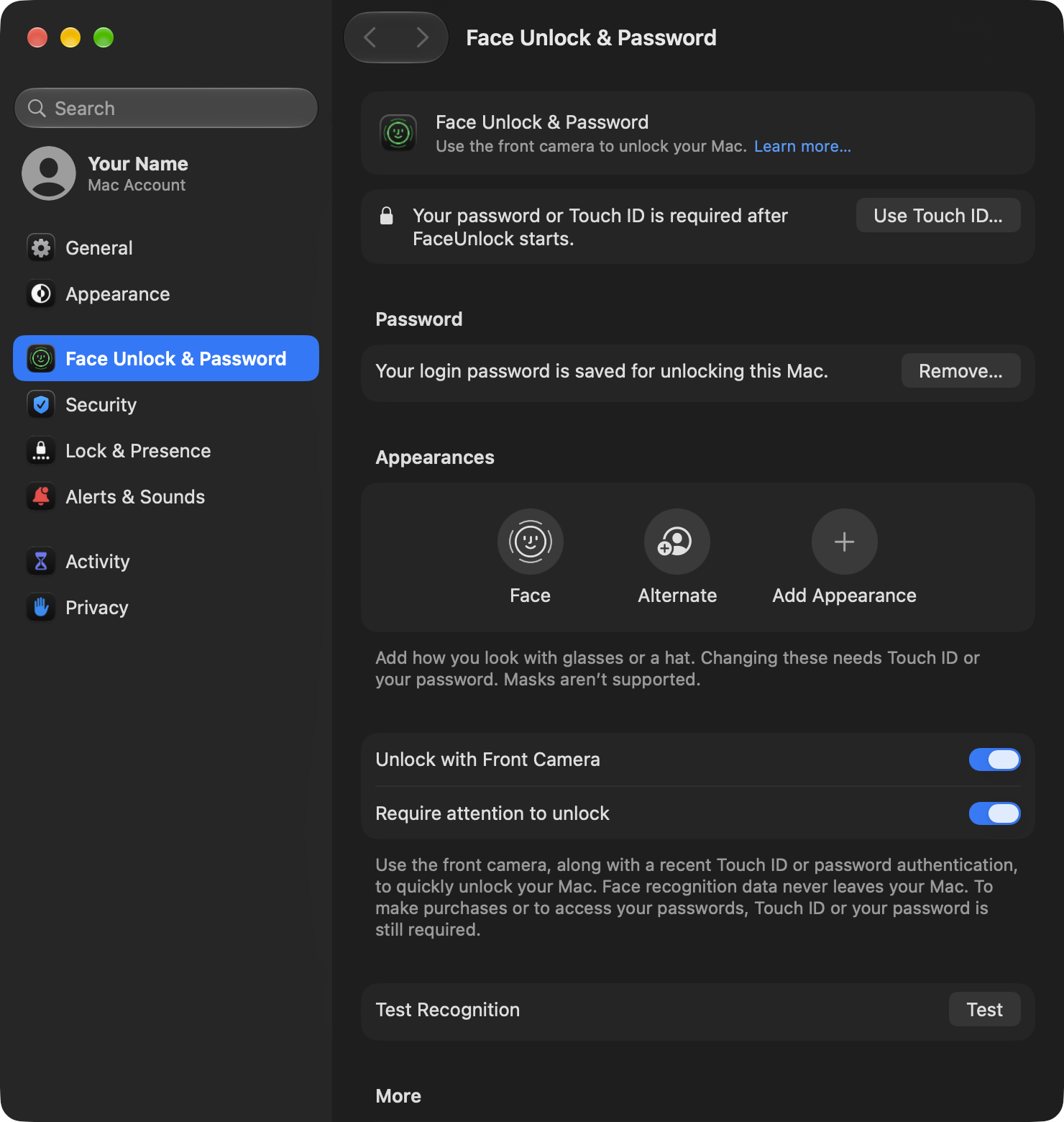
- Appearances. Separate scans with glasses, with a hat, and one alternate look.
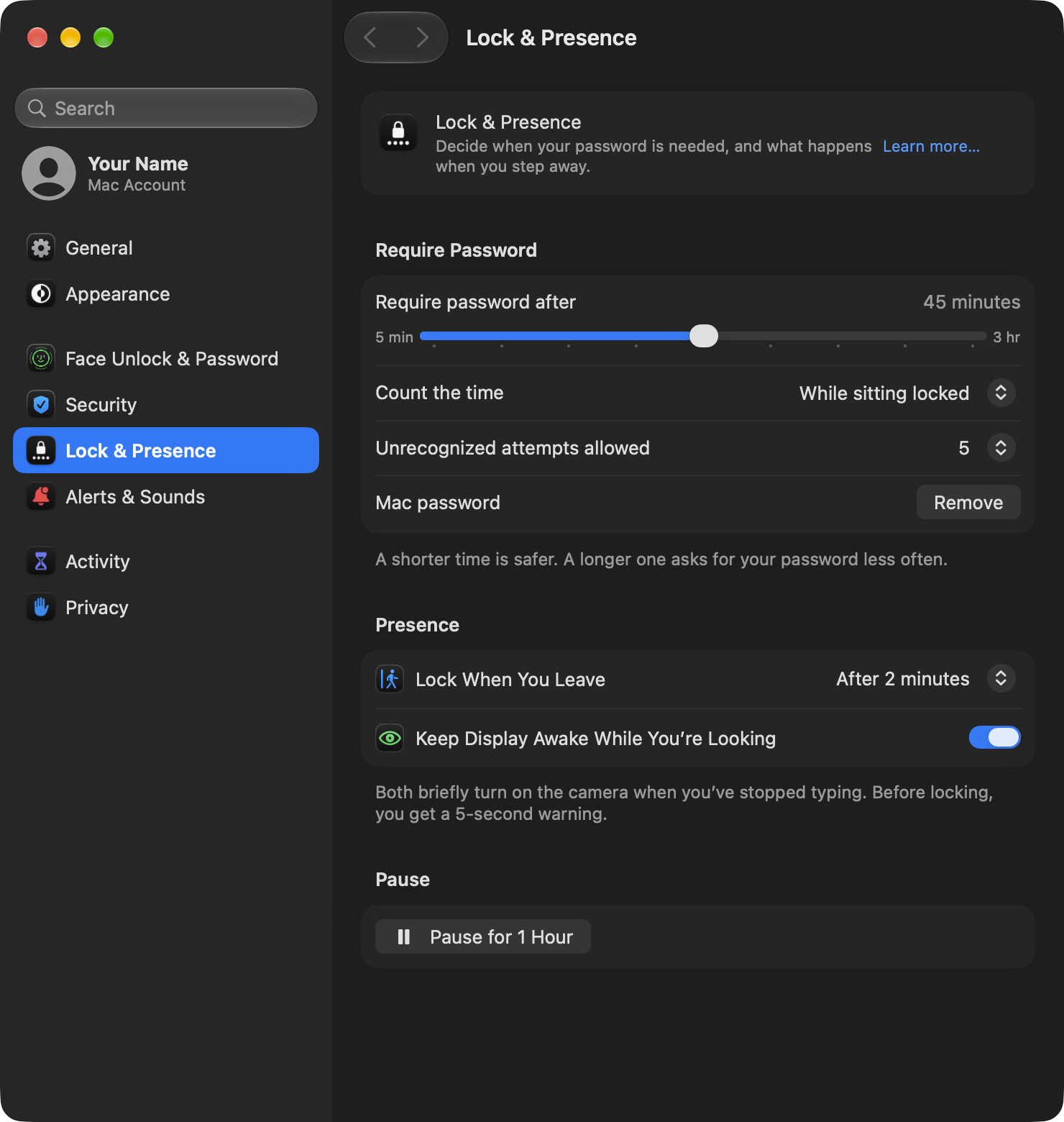
- Your time limit. From 5 minutes to 3 hours before your password is needed.
- More choices. 3, 4 or 5 refused attempts, and an optional unlock sound.
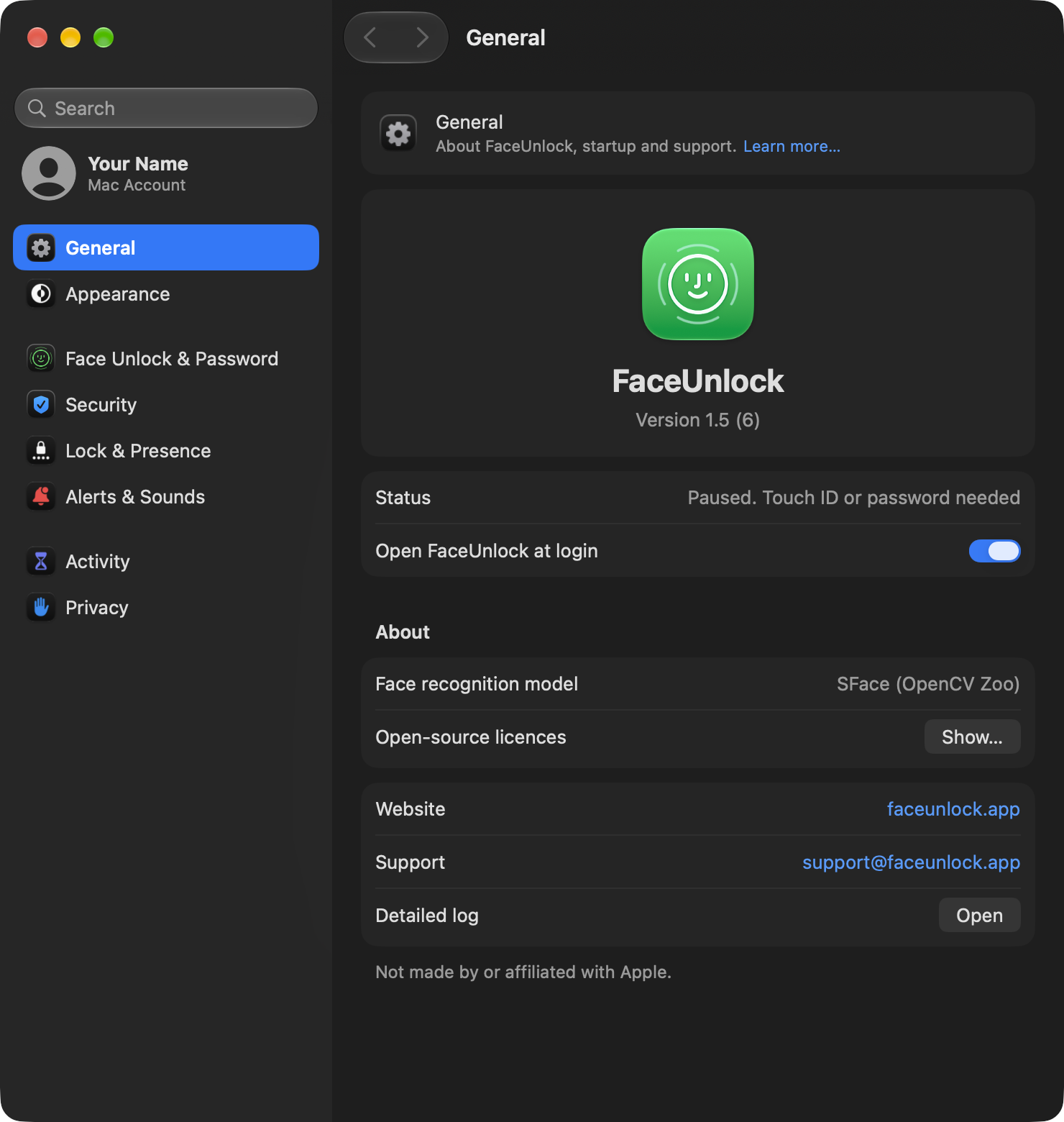
- General and Appearance settings. About, licences, support and styles in their own places.
The unlock animation
- The tick plays once. It no longer replays after the desktop appears.
- You see it finish. The tick holds at the lock screen, then the notch retracts. This makes unlocking a fraction longer.
- Centred. Notch, Dynamic Island and pill messages put the symbol on top and the words beneath.
 1. LookingA padlock one side of the camera, your face the other.
 2. FoundThe four arcs spin and join into one ring.
 3. ConfirmedThe tick draws in the middle, and the padlock opens.
 4. AwayIt draws back into the notch as your Mac unlocks.
Settings
Improved
- New liveness checks, written for FaceUnlock: blink, nose depth, glare and device edges.
- Fewer wrong refusals. Looking away now says “Look at the Screen” and isn’t counted as a failed attempt.
- Quicker to start scanning.
Security
- Adding, rescanning or removing face data needs Touch ID or your password.
- If you start typing while the tick is showing, FaceUnlock doesn’t type over you.
Not yet confirmed
- The new liveness checks against real photos and videos. They have been tested on simulated data.
- Glasses and hat scans on a range of faces, other people’s faces and dim light.
- Intel Macs, Macs without a notch and Dynamic Island Macs.
Version 1.0
26 November 2026. The first public release.
- Unlock with your face. On-device recognition with the built-in camera.
- Notch, island or pill. What appears depends on your Mac.
- Guided setup. Turn your head four ways.
- Safety rules. Password or Touch ID after 45 minutes, five refused attempts or a restart.