Settings
Every option,
explained.
Laid out like System Settings. Choices that make your Mac easier to open ask for Touch ID or your password first.
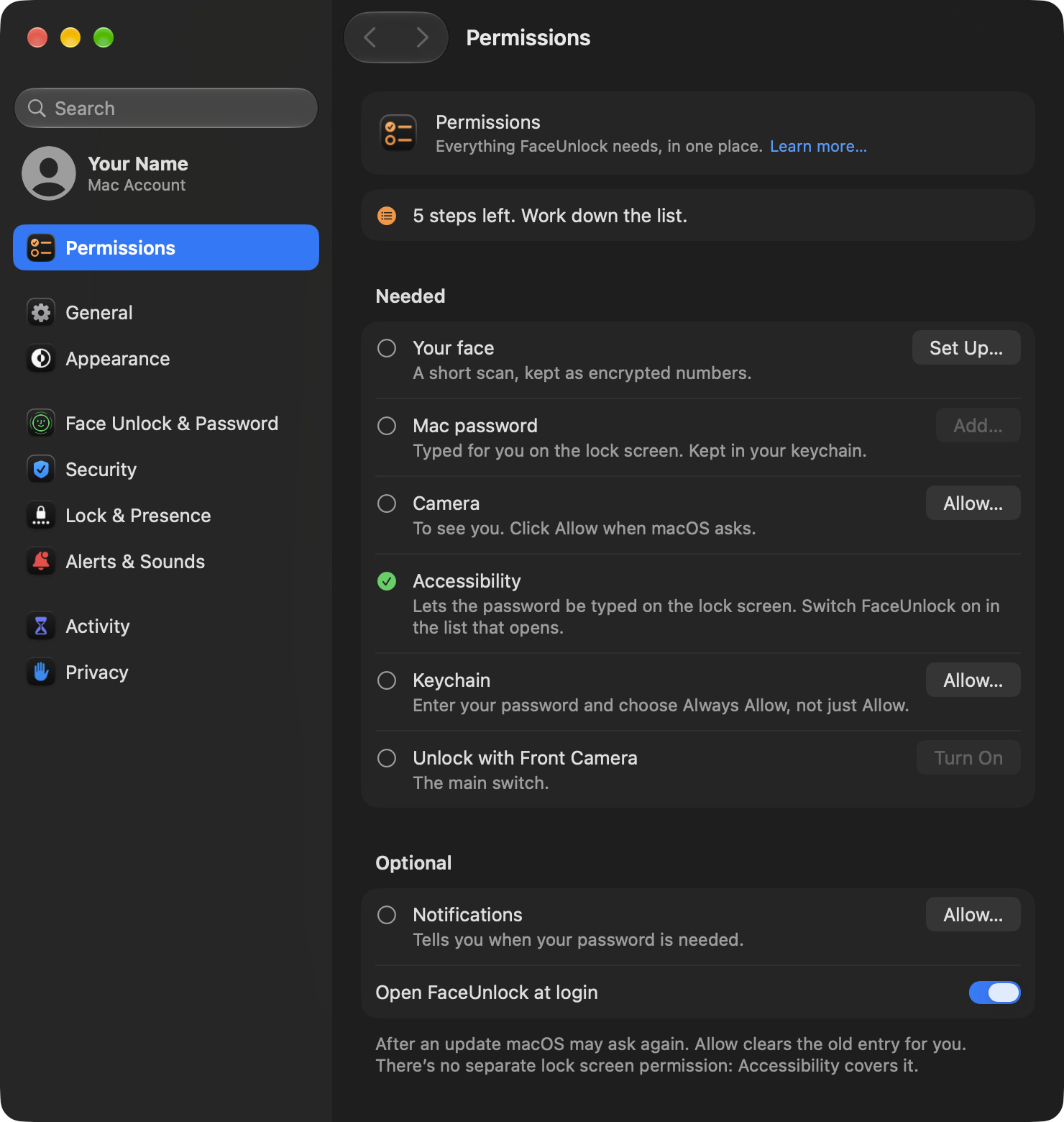
Permissions
Everything FaceUnlock needs, in one place.
| Needed | Your face, Mac password, Camera, Accessibility, keychain and the main switch, each with a button until it’s done |
|---|---|
| Optional | Notifications and Open at login |
| After an update | Camera and Accessibility clear the old permission and ask again |
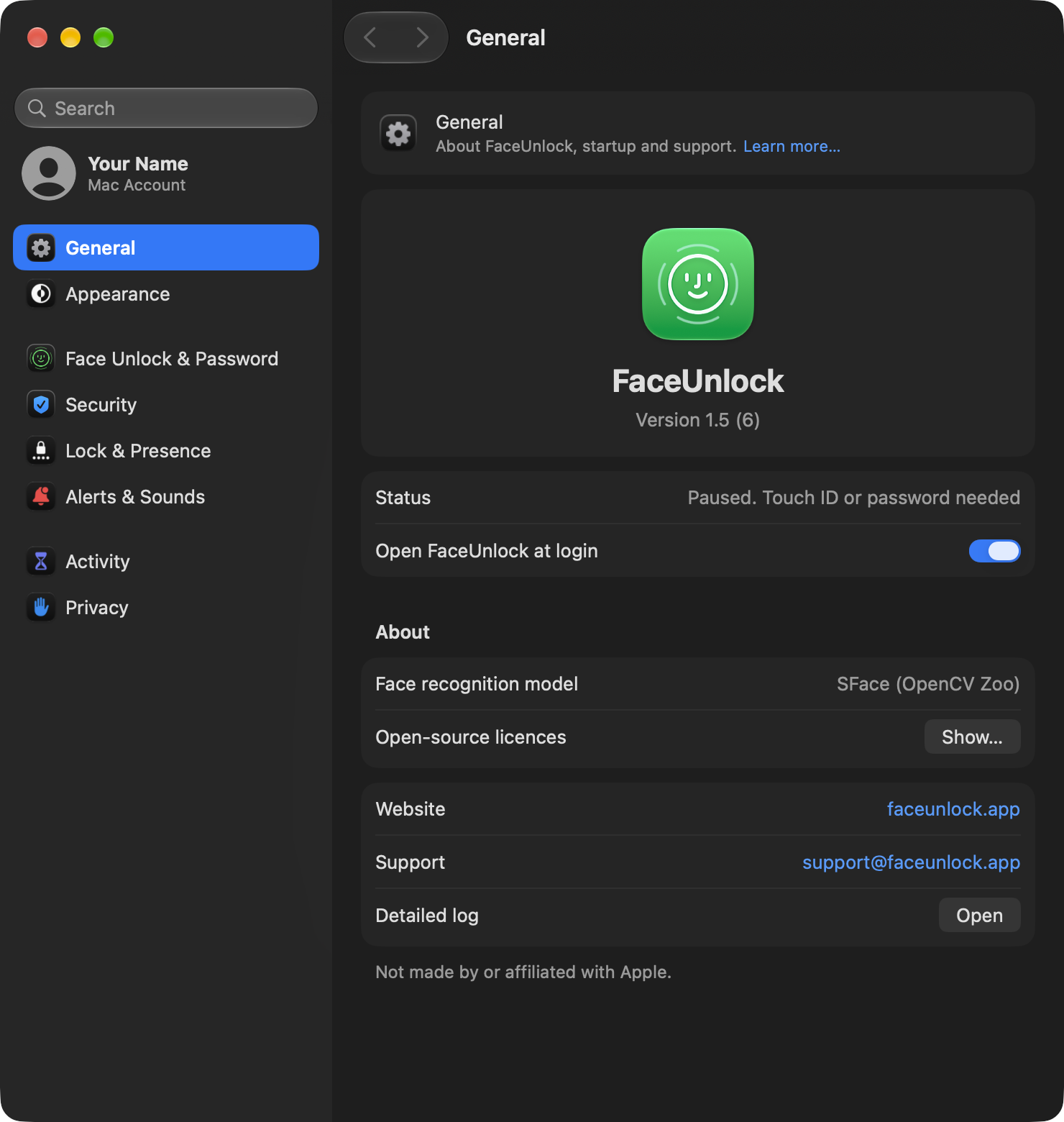
General
The app itself.
| Status | Whether Face Unlock is ready, paused or waiting for you |
|---|---|
| Open at login | Starts FaceUnlock with your Mac |
| About | Version, licences, this website, support and the detailed log |
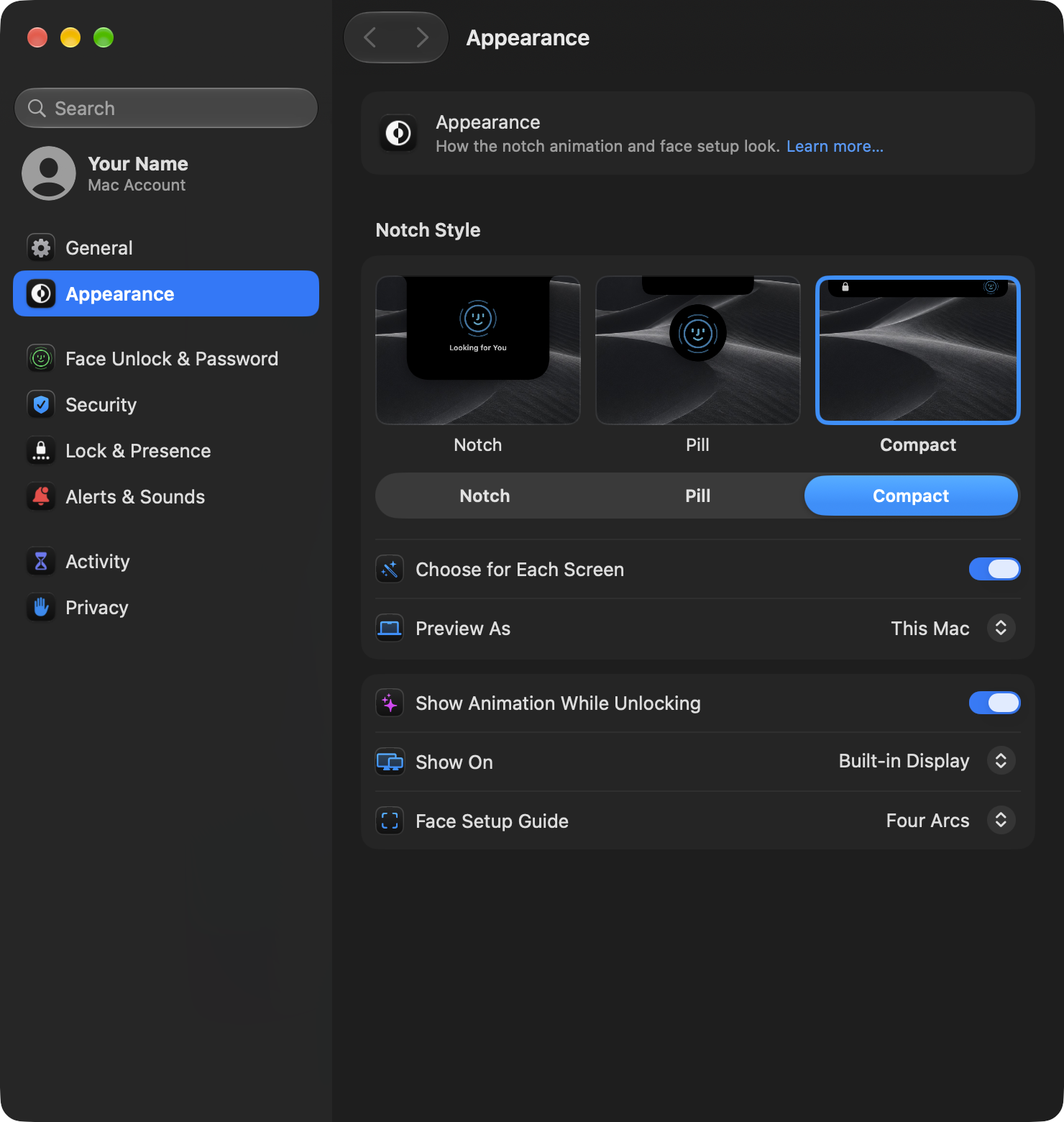
Appearance
Each style plays live over your wallpaper.
| Notch style | Notch, Pill or Compact |
|---|---|
| Choose for Each Screen | Compact beside a notch or island, a pill with neither. On by default |
| Preview As | See it as another kind of Mac would |
| Show Animation While Unlocking | Turn the notch animation off |
| Show On | Which display it appears on |
| Face Setup Guide | Four arcs or a ring of ticks |
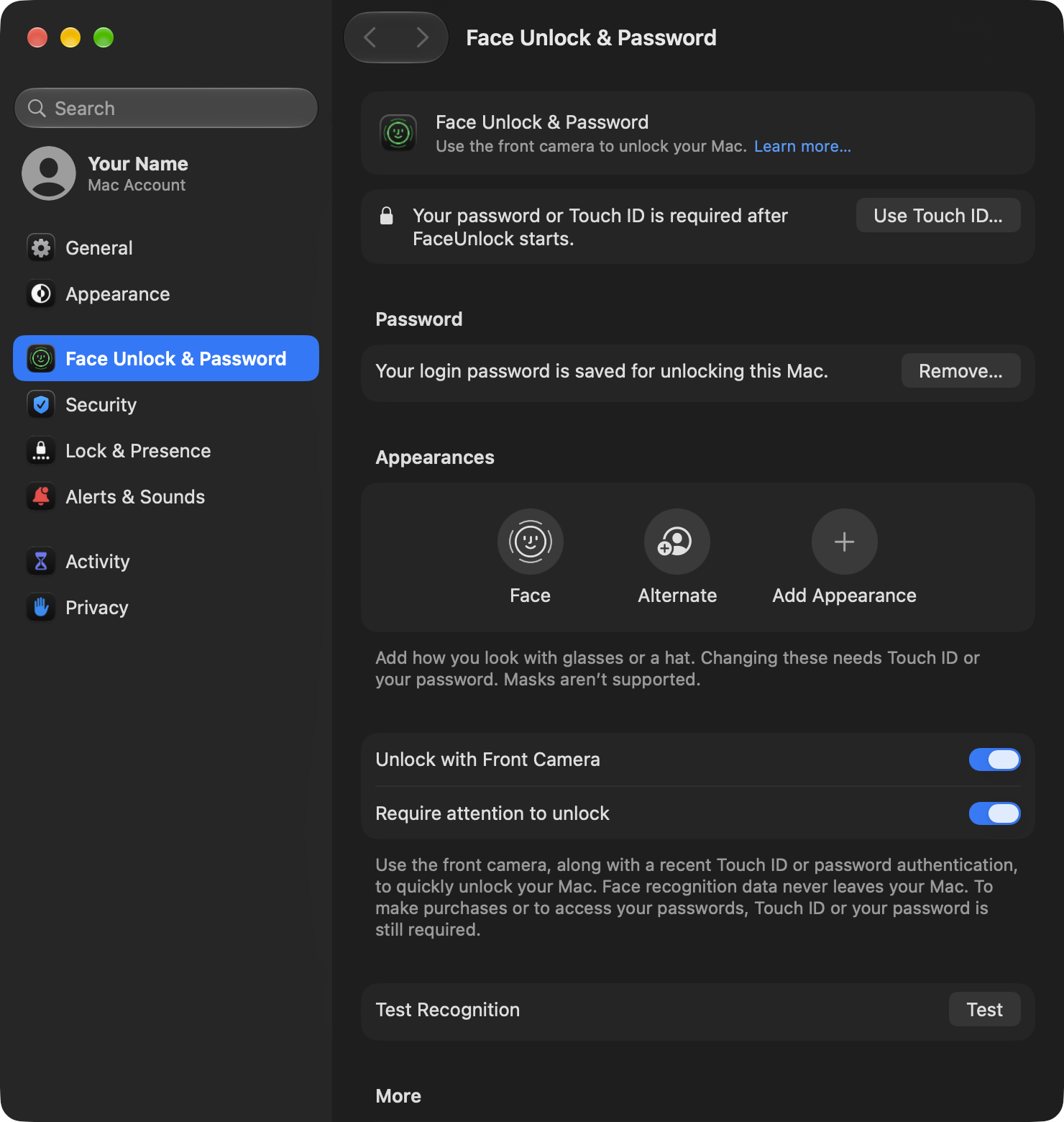
Face Unlock & Password
Your face, your password and the main switch.
| Password | Add or remove the saved login password |
|---|---|
| Appearances | Face, glasses, hat and one alternate look. Changes need Touch ID or your password |
| Unlock with Front Camera | The main switch |
| Require attention to unlock | Only when your eyes are open and you face the screen |
| Test Recognition | Shows your match score. Types nothing |
Security
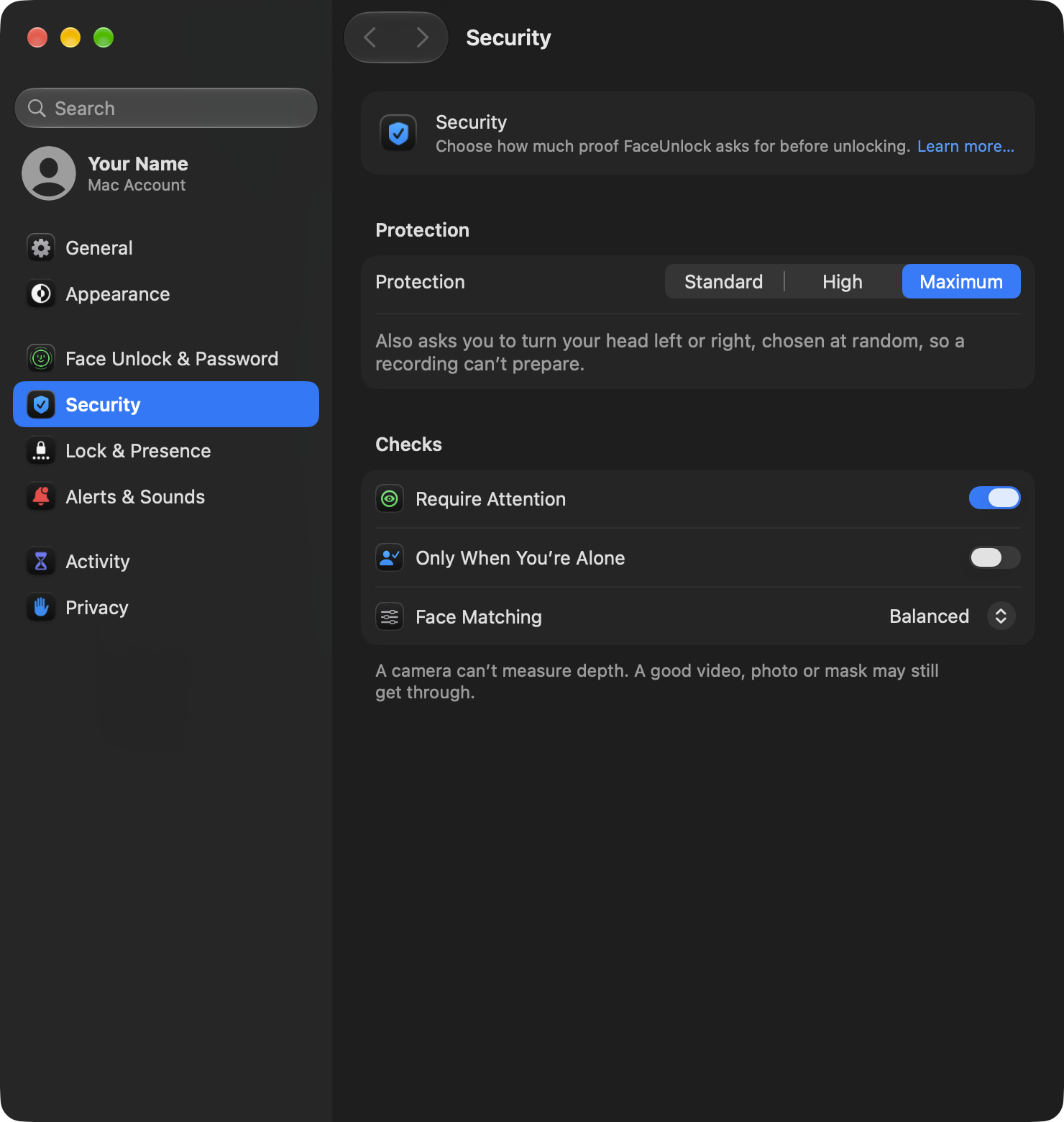
How much proof it asks for.
| Protection | Standard, High (a blink or natural movement) or Maximum (a head turn in a random direction) |
|---|---|
| Require Attention | Eyes open, facing the screen |
| Only When You’re Alone | Refuses if someone else is in view |
| Face Matching | Balanced or Strict |
Lock & Presence
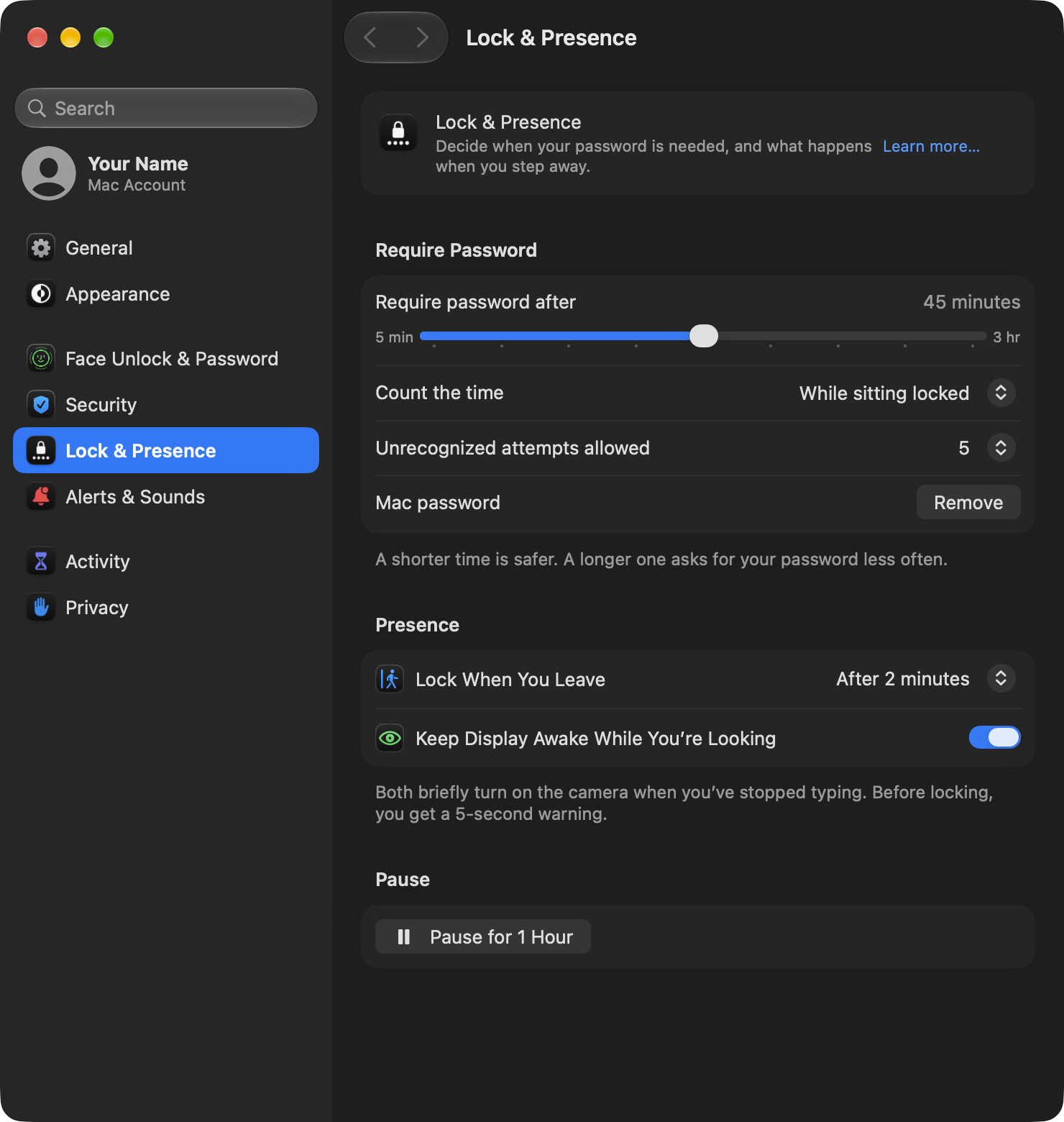
When your password is needed, and what happens when you leave.
| Require password after | 5 minutes to 3 hours. 45 minutes unless you change it |
|---|---|
| Count the time | While sitting locked, or since your last password |
| Unrecognized attempts | 3, 4 or 5 |
| Lock When You Leave | Warns for five seconds, then locks |
| Keep Display Awake | While you’re looking at it |
| Pause | Turns Face Unlock off for an hour |
Alerts & Sounds
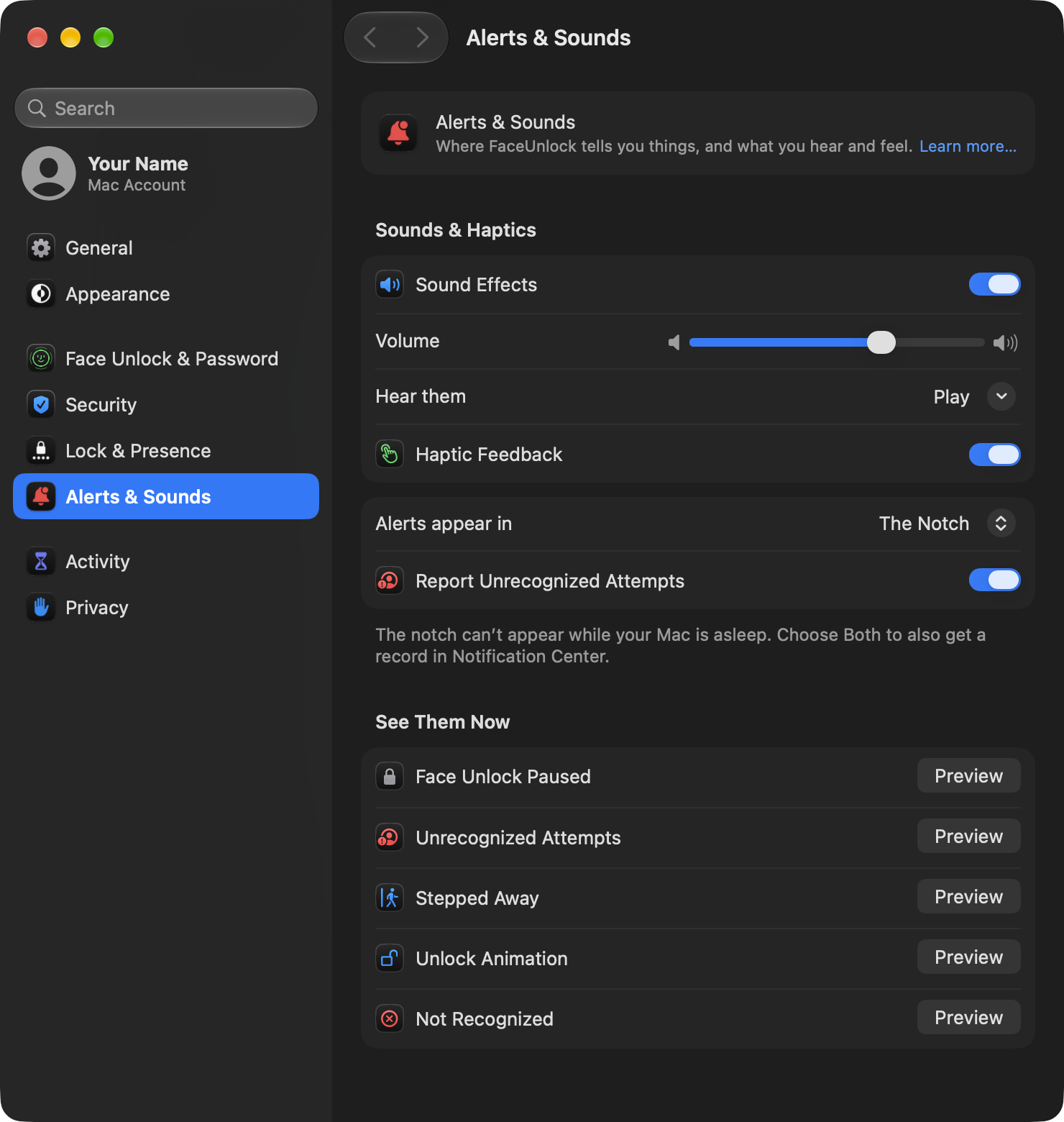
What you see, hear and feel.
| Sound Effects | On or off, with volume and a preview of each |
|---|---|
| Haptic Feedback | Taps on the trackpad in time with the animation |
| Alerts appear in | The Notch, Notification Center or both |
| Report Unrecognized Attempts | Told to you after you unlock |
| See Them Now | Plays each alert |
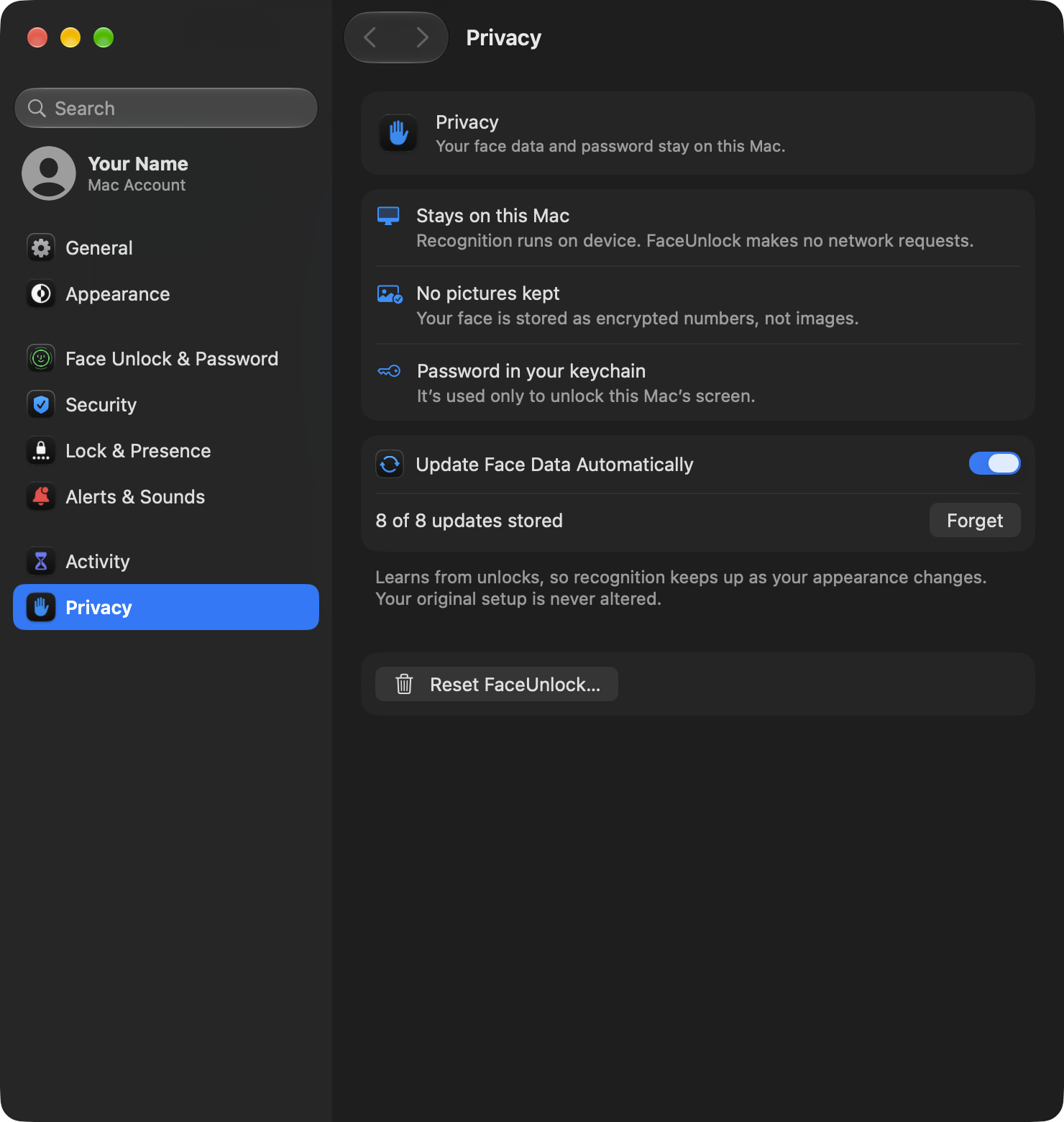
Privacy
What is kept, and how to remove it.
| Update Face Data Automatically | Keeps up to eight newer captures so recognition keeps up with you |
|---|---|
| Forget | Removes what was learned. Your setup scans stay |
| Reset FaceUnlock | Deletes face data and the saved password |